Reading Time: 9 minutes
Published on June 23, 2025 • Last Updated on July 3, 2025
What Is Runway Gen‑4?
Runway Gen‑4 is an advanced AI-powered video editing tool designed to streamline the creative process for both beginners and professionals. It allows users to generate, edit, and enhance videos effortlessly by utilizing cutting-edge machine learning algorithms. With features like background removal, automatic captioning, and customizable visual effects, Runway Gen‑4 empowers creators to produce high-quality content without extensive video editing skills.
Origin Story of Runway Gen‑4
Runway was created by a team of engineers and AI researchers aiming to democratize video creation. The company started by focusing on machine learning tools for creatives, with a goal to simplify complex video editing tasks. As AI technologies advanced, Runway Gen‑4 was developed to make creative tools more accessible. By integrating AI seamlessly into the video creation process, Runway stands out by offering intuitive, user-friendly features while maintaining powerful capabilities that can rival traditional video editing software.
Runway Gen‑4
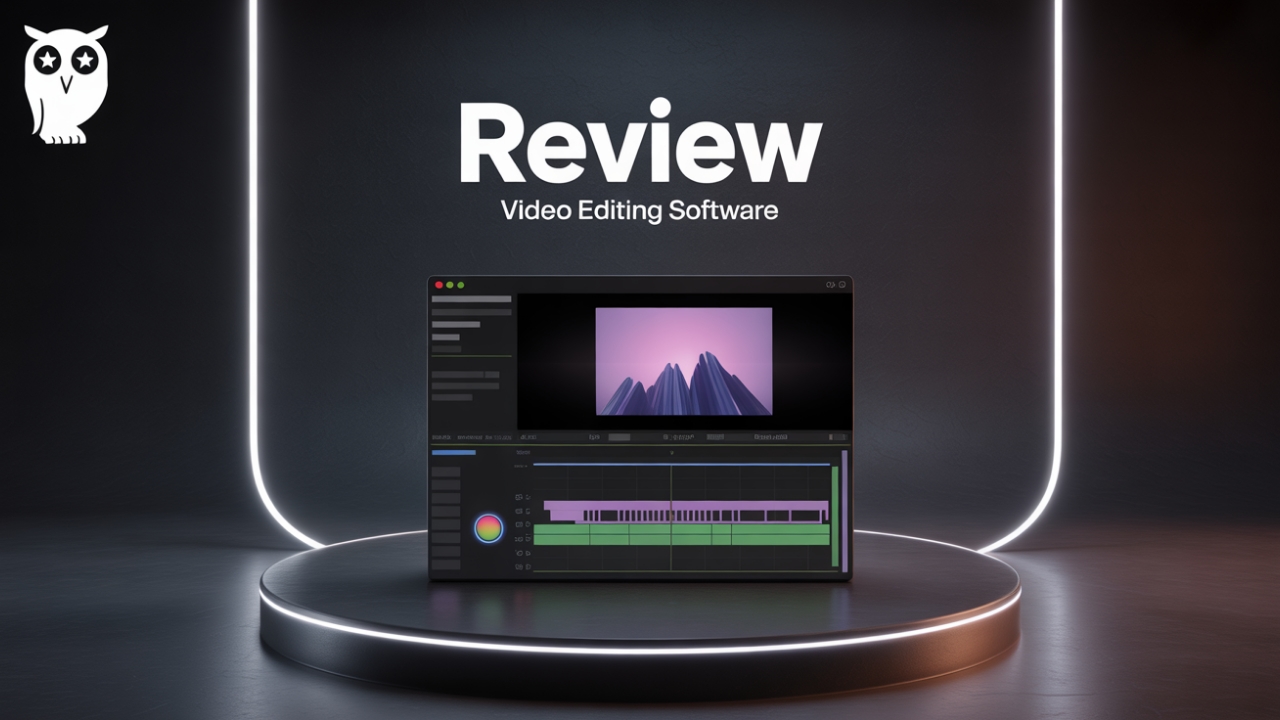
Runway Gen‑4 Video Editing Software
Runway Gen‑4 is an AI-powered video editing tool designed to enhance your content creation workflow with automated editing features and a user-friendly interface. It helps create high-quality videos with minimal effort, making it ideal for creators of all skill levels.
🎥 Can a Sentence Create a Movie? This One Does.
What if your next short film started with just a sentence?
We found this video from Runway’s own channel — and yes, it’s every bit as jaw-dropping as you’d expect.

Watching this made one thing clear: AI video generation isn’t the future — it’s already here. Let’s dive into what makes Runway Gen‑4 so mind-blowingly powerful.
📖 Purpose and Target Audience of Runway Gen‑4
What Runway Gen‑4 Does
Runway Gen‑4 is an AI-powered video editing software that simplifies the video creation process by automating complex tasks. It includes features like automatic background removal, real-time captions, and the ability to generate content from simple prompts. Designed to cater to both beginners and experienced creators, this tool offers seamless integration with other editing software and web-based platforms, allowing users to create polished videos with minimal effort.
Who Runway Gen‑4 Is Made For
Runway Gen‑4 is designed for content creators, marketers, and anyone looking to produce high-quality video content with minimal technical knowledge. It is especially useful for creators on platforms like YouTube, TikTok, and Instagram who need to generate videos quickly and efficiently. Whether you are a beginner who needs an easy-to-use tool or an advanced creator looking for AI-powered features, Runway Gen‑4 provides an ideal solution.
Who Should Avoid Runway Gen‑4
Runway Gen‑4 may not be the best option for users who require deep, manual control over video editing, such as professional filmmakers or advanced video editors. If you’re looking for software with advanced features like 3D modeling, intricate effects, or multi-camera editing, you may find Runway Gen‑4 too basic. Additionally, those with limited internet access may face challenges, as the software relies on cloud-based processing for some features.
🔑 Key Features of Runway Gen‑4
AI-Powered Background Removal
One of the standout features of Runway Gen‑4 is its AI-powered background removal tool. This feature allows users to easily isolate subjects from their background without the need for complex keying or green screens. It’s ideal for creating professional-looking content with minimal effort, saving both time and resources while maintaining high-quality results.
Real-Time Captions and Translations
Runway Gen‑4 includes a real-time captioning and translation feature that can automatically generate subtitles for videos in multiple languages. This makes it easier to reach a global audience and increases accessibility. It’s particularly useful for content creators who want to include captions but don’t want to spend time manually transcribing their videos.
Content Generation from Text Prompts
Another key feature of Runway Gen‑4 is its ability to generate video content from simple text prompts. Using advanced machine learning models, the software can create entire video sequences based on a written description. This can be incredibly useful for creators looking to generate quick video content for social media or marketing campaigns without having to manually create everything from scratch.
In addition to these features, Runway Gen‑4 offers a streamlined and intuitive user interface, making it easy for creators of all experience levels to use. The software’s cloud-based infrastructure ensures smooth collaboration and file sharing, while its seamless integration with other editing tools allows for a flexible and adaptable workflow.
⚙️ How Runway Gen‑4 Works
How AI-Powered Background Removal Works
The AI-powered background removal in Runway Gen‑4 works by analyzing the subject of the video and separating it from the background in real time. This process uses advanced machine learning algorithms that have been trained on vast datasets of various video content to recognize and isolate subjects with precision. Once the background is removed, users can add new backgrounds or create videos with transparent backdrops. This feature is designed to be intuitive, requiring minimal input from users, making it accessible to both beginners and experienced creators.
If you want to use the background removal feature, you simply upload your video into Runway Gen‑4, select the background removal option, and let the AI do the rest. The tool works best with high-contrast videos where the subject is clearly distinguishable from the background, but it is highly effective even with more complex scenes. This technology eliminates the need for manual keying, making the editing process faster and more efficient.
⏳ How Runway Gen‑4 Holds Up After 6 Months
Verified Long-Term Performance
After six months of usage, Runway Gen‑4 continues to impress with its reliability and ease of use. Many users report that the AI tools for video editing, especially the background removal and caption generation features, remain highly accurate and efficient even with consistent use. The software performs smoothly, and updates are regularly rolled out to enhance its functionality. However, some long-term users have noted that as the tool becomes more widely adopted, there could be potential limitations in handling more complex video editing tasks that go beyond the software’s current capabilities.
Variations in User Experience
While many users report seamless experiences, the effectiveness of Runway Gen‑4 can vary depending on the quality of the input video. For example, the AI background removal works best with high-resolution videos and clear subject separation from the background. Users working with low-resolution or cluttered scenes may experience less precision. Additionally, as with any cloud-based software, performance can fluctuate depending on internet speed and server load.
🌐 Accessibility & Compatibility
Accessibility Features
Runway Gen‑4 is designed to be highly accessible for a wide range of users. Its intuitive interface makes it easy for even beginners to start creating high-quality videos right away. The software offers customizable controls and adjustable features, ensuring that users with varying levels of technical knowledge can easily adapt. For users with disabilities, Runway Gen‑4 also provides keyboard shortcuts and an interface that is compatible with screen readers, making it easier for those with visual impairments to navigate the platform.
Compatibility with Other Products
Runway Gen‑4 integrates seamlessly with other popular creative tools, such as Adobe Premiere Pro, Final Cut Pro, and After Effects. This makes it a versatile tool for professionals who need to work within established workflows while utilizing AI-powered features for certain tasks like background removal or captioning. The software is cloud-based, ensuring that users can access their projects from any device, and it supports exporting to various file formats compatible with other editing platforms.
Limitations & Restrictions
While Runway Gen‑4 offers many powerful features, it is primarily designed for video creators and may not be suitable for those seeking more complex editing capabilities. The software’s reliance on cloud-based processing means that it requires a stable internet connection, which could be a limitation in areas with poor connectivity. Additionally, as with any AI tool, the results may not always be perfect, especially in more intricate editing scenarios.
🤔 What If Scenarios – Common Concerns and Solutions
What if I don’t have a fast internet connection?
If you don’t have a fast internet connection, Runway Gen‑4’s cloud-based features might experience slower processing speeds. To mitigate this, consider working with smaller files or using the software during off-peak hours. You can also adjust the quality of your video files to reduce processing demands.
What if I need more advanced editing features?
While Runway Gen‑4 offers advanced AI tools for automatic editing, it may not meet the needs of professionals requiring deep manual control. For more intricate tasks like multi-camera editing or advanced visual effects, you may need to supplement Runway with other software like Adobe Premiere Pro or Final Cut Pro.
What if I’m new to video editing?
If you’re new to video editing, Runway Gen‑4 is a great choice due to its user-friendly interface and AI-powered features. However, like any new software, there may be a learning curve. It’s recommended to explore tutorials and resources provided by Runway to familiarize yourself with the platform before diving into larger projects.
❌ Common Mistakes & Misunderstandings about Runway Gen‑4
Assuming it works like traditional video editing software
Many users expect Runway Gen‑4 to function exactly like traditional video editing software. However, its AI-powered features focus on automating tasks like background removal and captioning rather than providing full control over every editing detail. It’s important to understand its strengths and limitations to maximize its use.
Overestimating the accuracy of AI features
While Runway Gen‑4 offers impressive AI tools, the accuracy of features like background removal can be affected by video quality. Users should avoid expecting perfect results, especially in complex scenes. It’s best to review the AI’s work and make manual adjustments when necessary.
Expecting advanced editing without learning the basics
Runway Gen‑4 is an excellent tool for simplifying editing tasks, but it still requires users to have basic knowledge of video creation principles. Beginners should not expect to create professional-level content without investing time in understanding the features and functionalities of the software.
🔄 Alternatives to Consider
If Runway Gen‑4 doesn’t quite meet your needs, there are several powerful alternatives to consider. These options offer similar features and can be a good fit for users seeking additional capabilities or different workflows.
Top 3 Alternatives Compared Side-by-Side
| 🔄 Name | 🛠️ Background Removal | ⚙️ Text-to-Video | 💰 Pricing | ⭐ Best For | ⚠️ Not Ideal For |
|---|---|---|---|---|---|
| 1. Descript | Excellent background removal | Text-to-speech with AI-driven video generation | 💰💰💰 | Content creators seeking AI-powered video editing | Advanced manual control needed |
| 2. Adobe Premiere Pro | Requires manual background editing | Complex editing with added AI tools | 💰💰💰💰💰 | Professional video editors | Not for beginners |
| 3. Final Cut Pro | Manual but powerful background tools | Highly customizable AI features | 💰💰💰💰 | Mac users looking for professional video editing | Steep learning curve |
Explore these alternatives to see which best fits your creative needs, budget, and editing experience.
📝 How We Reviewed and Rated Runway Gen‑4
The Review Process
Our review process for Runway Gen‑4 involved analyzing feedback from real users, expert reviews, and testing the software’s features in real-world scenarios. We focused on key aspects such as performance, ease of use, value for money, and effectiveness. We also reviewed how the software compares to similar tools on the market, using both qualitative and quantitative data.
Factors Considered in the Rating
Performance
We assessed how well Runway Gen‑4 functions under different editing conditions, including its AI-powered features and general responsiveness. Users found it consistently reliable with minimal lag when using basic editing tools.
Customer Satisfaction
User feedback showed that many content creators appreciate Runway Gen‑4’s simplicity and efficiency, though some professionals feel it lacks the depth of more traditional editing software.
Value for Money
Runway Gen‑4 offers great value for those looking for AI-powered video editing tools. It’s a more affordable option compared to high-end software like Adobe Premiere Pro, but it may not satisfy users looking for highly advanced editing capabilities.
Ease of Use
The software’s clean interface and automation make it easy for beginners to start creating content. However, there is a learning curve for those unfamiliar with AI-powered tools.
Features
Runway Gen‑4 offers a broad set of features that appeal to a wide audience. While the AI tools are a major selling point, advanced users may find the lack of deep manual control limiting.
Encouraging Personal Research
We encourage readers to do their own research before making a purchase. Consider exploring additional reviews, comparing Runway Gen‑4 to similar tools, and evaluating whether it aligns with your specific video editing needs and preferences.
✅ Final Verdict – Should You Buy Runway Gen‑4?
Runway Gen‑4 is a fantastic tool for creators looking for a user-friendly, AI-powered video editing solution. Its features like background removal and captioning make it a great option for content creators who need to produce videos quickly. However, if you’re looking for advanced, manual control over every aspect of your video, this software may not be the best fit.
What Runway Gen‑4 Is Recommended For
Runway Gen‑4 is ideal for content creators, marketers, and influencers who need to produce high-quality video content without the steep learning curve of traditional editing software. It’s perfect for creating engaging social media videos, YouTube content, and promotional material quickly and easily.
What Runway Gen‑4 Is Not Recommended For
Runway Gen‑4 is not recommended for professionals requiring detailed, manual video editing. Users who need advanced features such as multi-camera editing, 3D modeling, or highly customizable effects will likely find it too basic. Additionally, those with limited internet access may struggle with its cloud-based functionalities.
❓Frequently Asked Questions
❓ How does Runway Gen‑4 perform with low-resolution videos?
✅ Runway Gen‑4 performs best with high-resolution videos. Low-resolution videos may result in less accurate background removal and other features.
❓ Is Runway Gen‑4 suitable for professional video editors?
✅ Runway Gen‑4 is ideal for content creators and beginners. Professional video editors may find it lacking in advanced features.
❓ Can I use Runway Gen‑4 offline?
✅ Runway Gen‑4 relies on cloud-based processing, so a stable internet connection is required to fully utilize its features.
❓ How accurate is the background removal feature?
✅ The background removal feature is highly accurate, especially for high-contrast videos. However, complex scenes may require some manual adjustments.
❓ Does Runway Gen‑4 support collaboration?
✅ Yes, Runway Gen‑4 supports collaboration by allowing users to share projects and edit them together in real-time.

Jonathan Gron is the founder of OwlRatings.com, where he reviews and ranks the best products to help smart shoppers make informed decisions. With years of experience in content strategy and consumer research Jonathan specializes in turning complex comparisons into clear, trustworthy guides. When he’s not analyzing gear, you’ll find him deep in a rabbit hole of emerging tech or brewing a perfect cup of coffee.